Windows Subsystem for Linux

Introduction
If you are like me, you are constantly bouncing back and forth between the ease of development on Linux while loving the "it just works" attitude Windows brings to the table. While both have their pros and cons, nerds like us are quite fond of the GNU+Linux environment.
I spent the majority of the last 5 years messing around in virtual machines just to test different distributions. While that did teach me a lot, it was also a pain in managing 100's of Gigabytes of data while consuming 30 GB ram on my laptop when attempting to run multiple at a time. Then came the fateful day I learned about WSL.
How it works
To understand WSL, we need to understand how any operating system works.
CPU Modes
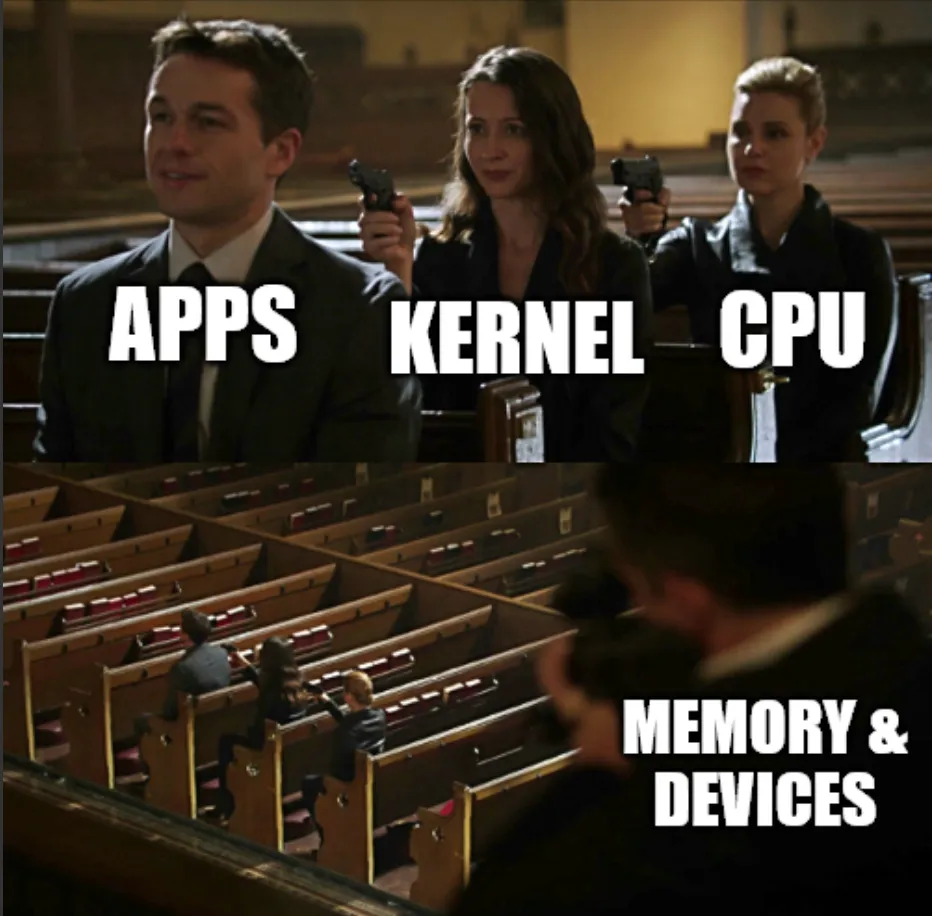
The CPU has to execute instructions but it also has to do other things such as communicate with the hardware and manage resources. For the separation of these types of actions there is a division of "modes" the CPU can be in. This strict separation is the ultimate security and stability boundary of your entire computer.
User Mode: This is the restricted area where all your applications live: your web browser, video games, text editors, and even your terminal. These applications are never allowed to directly do upper privilege actions such as communicating with the hardware (if they do want to access the hardware... we'll get to that). Code running here operates with limited privileges and cannot directly access the hardware like memory chips, the hard drive or the graphics card. Because of this sandbox, if a program crashes in User Mode, only that specific program dies; the rest of the system stays safe.
Kernel Mode: This is the White House of the Operating system; any code running here has the highest clearance and executes with the highest privileges. The code that is usually running here is the core of the operating system called the "Kernel". The Kernel has absolute, unrestricted control over the hardware. It is responsible for managing resources safely, but this comes with a catch: if something crashes here, the entire computer halts, often resulting in the famous Blue Screen of Death on Windows or a Kernel Panic on Linux.
Another way you might see these modes diagrammed on the internet is through "Protection Rings," usually labeled 0 through 3.
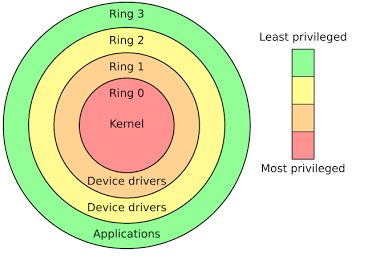
When you see a diagram with concentric circles labeled Ring 0, Ring 1, Ring 2, and Ring 3, you are looking at the x86 CPU architecture, i.e., the architecture used by most Intel and AMD processors.
What other architectures are there you might ask? Oh, my dear reader, good luck going down that rabbit hole of beautiful instruction set architectures. I'll drop a video in the references if you're feeling adventurous, but for now, let's stay on topic. :)
The hardware itself is physically wired to support four distinct levels of privilege to protect data and hardware from rogue behavior.
Ring 0: Maximum privilege (where the Kernel lives).
Ring 1 & 2: Historically intended for device drivers, but largely abandoned by modern OSes.
Ring 3: Minimum privilege (where User Mode applications live).
Because Windows and Linux decided to ignore Rings 1 and 2 to keep things simple and portable, they map Kernel Mode directly to Ring 0 and User Mode directly to Ring 3. No matter how the rings are drawn, we are back to our two distinct worlds.
System Calls
So, if games are User Mode applications, they are trapped in Ring 3. They aren't allowed to touch the hardware directly, so how do they render graphics? How does a text editor actually save a file?
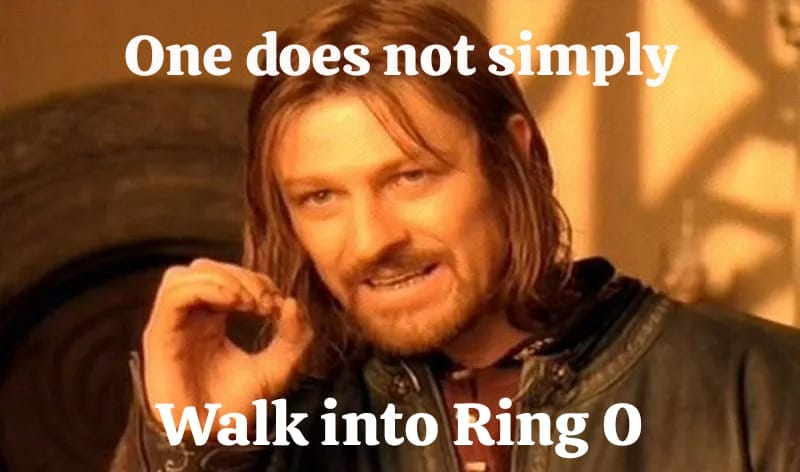
They have to ask the Kernel nicely. This formal, highly secure request is called a System Call, or syscall. These are the operating system’s built-in API. If an application wants to do anything privileged, it can’t just barge into the Kernel’s White House. Instead, it submits a formal petition at the gate.
Here is how that bridge works in mere milliseconds:
The Ask: Your python script wants to open a file. It packages up this request and executes a special hardware instruction, literally called asyscallortrap.The Switch: The CPU immediately pauses your app, shifts modes from Ring 3 to Ring 0, and hands the request to the OS.The Execution: The Kernel acts as the bouncer. It checks if your app actually has permission to read that file. If yes, the Kernel safely talks to the hard drive, grabs the data, and places it in memory.The Return: The CPU drops back down to Ring 3, handing the control and requested data back to your application.
Every operating system has its own specific, hard-coded dictionary of these syscalls. Linux has around 300 standard ones with names like read, write, and fork. Windows NT uses a completely different, proprietary list.
And right there, homies, is the grand problem. A Linux program only speaks "Linux Syscalls." If you drop it onto Windows, the Windows Kernel just stares at it blankly like you stare at differential equations. It’s a fundamental language barrier.
So... how do you think WSL makes them talk?
The Translator Approach (WSL 1)
To run an unmodified Linux binary (an .elf file in contrast with Windows .exe file), Microsoft had a structural problem. A standard Windows process comes with a lot of packaging.
Leaving it up to you, my dear reader and your curiosity, to explore said "Packaging". e.g ntdll.dll, PEB creation and memory layouts for Windows.
A Linux binary expects none of this; if it sees Windows structures in its memory space, it will crash. To solve this, Microsoft’s kernel team created a new kernel-mode primitive called a Pico Process, a minimal empty structural shell which was a true "Windows" NT process but stripped of all Windows user-mode "wrappings".
It provides a pristine, empty virtual address space where the unmodified Linux executable can be safely loaded. But an empty shell isn't enough; the app still needs to talk to the hardware. So, Microsoft created kernel drivers like lxcore.sys, that watched over these Pico Processes. When the Linux app fired off a syscall, the driver caught it mid-air, translated it into a Windows NT syscall, and handed it to the Windows kernel.
It was incredibly clever, but ultimately flawed. Translating complex Linux syscalls like fork into Windows equivalents was heavily bug-prone, as Windows fundamentally handles process creation differently. Even worse, translating file permissions between Linux and NTFS caused massive performance bottlenecks. It was just too slow. In the end, Microsoft couldn't keep up with Linux.
The Micro-VM Approach (WSL 2)
Microsoft realized that playing real-time translator was a losing game. Trying to constantly map the ever-evolving list of Linux syscalls into Windows equivalents was too complex, and the file system overhead was unfixable without completely ripping up the Windows NT storage stack.
So, they changed the approach. If you can't translate the language fast enough, why not just hire a native speaker? Thus was born the WSL 2 we know and love. Instead of faking a Linux kernel, Microsoft decided to just ship a real, Microsoft-compiled Linux kernel right alongside Windows.
Imagine former CEO Steve Ballmer, who famously called Linux a "cancer" in 2001, finding out that two decades later, Microsoft would be smuggling a live, breathing Linux kernel inside Windows under a trench coat. A little bit of lore for you youngsters reading.
But I hear you ask: How do you run two distinct kernels on the same CPU at the same time? Both expect to have absolute, Ring 0 control over the hardware.
Enter the Hypervisor (Ring -1)
Remember our hardware Protection Rings? We established that the Kernel lives in Ring 0. Well, hardware engineers eventually realized they needed a way to manage multiple operating systems on servers. So, they created a privilege level even deeper than the Kernel.
This is the hardware virtualization level, often referred to as Ring -1.
Software that runs here is called a Hypervisor (in Microsoft's case, Hyper-V). The hypervisor acts as the grand orchestrator. It sits below the operating systems, carving up the CPU and RAM, and letting multiple Kernels (like Windows and Linux) run simultaneously, completely isolated from each other, in separate virtual machines.
"I know I'd go back to you" - I hear you, Selena
"A Virtual Machine? I thought the whole point of WSL was to avoid running a clunky, RAM-hogging VM!"
You are right, my reader. Traditional VMs like VirtualBox or VMware are heavy. They emulate entire fake motherboards, fake graphics cards, and fake USB controllers. They take minutes to boot and permanently reserve giant chunks of your RAM. Everything is so fake in modern society. (╥﹏╥)
WSL 2 doesn't do that. It uses a Micro-VM.
It removes fake hardware GUI emulation and boots in less than a second.
It dynamically allocates memory: if your Linux terminal needs 2GB of RAM, it takes it. When it's done, it instantly hands that RAM back to Windows. Even while the VM is still actively running, any RAM its apps free up is immediately returned.
Because it is running a true Linux kernel, the syscall language barrier is completely eradicated. fork works perfectly. Docker runs natively. No speed limits because there is no translation happening anymore.
The Interoperability Bridge
Final question. If Windows and Linux are strictly isolated by a hypervisor wall, how is it that you can type explorer.exe . inside your Linux terminal and have the Windows UI seamlessly pop up? How can Linux see your Windows C:\ drive?
To make the two isolated worlds feel like one cohesive operating system, Microsoft built a high-speed bridge using Vsock (Virtual Sockets) and a file-sharing protocol originally built in the 1980s called Plan 9 (9P).
Instead of trying to translate NTFS permissions into Linux permissions like they did in WSL 1, WSL 2 essentially acts like a local network file server. When your Linux app wants to read a Windows file, it sends a network request over the Vsock bridge to a hidden file server running on the Windows side. Windows reads the file natively and hands the data back over the bridge.
Nerd note: Microsoft is currently rolling out an even faster protocol called virtiofs to handle this shared-memory file access, but the core "file server" concept remains the same!Final words
So the next time you fire up Ubuntu on your Windows machine to write your "JavaScript" (shudders) or spin up a hello-world Docker container, take a second to appreciate the sheer complexity happening beneath your unoptimized keystrokes. You are triggering a cross-kernel hypervisor bridge that shifts CPU modes in milliseconds, all so you can ship another AI-integrated to-do list app.
Happy tinkering.
Few reading exercises for the curious among you:
Installation of WSL2 (The Odin Project Guide)
understanding ring 0 to ring 3 the hidden layers of virtualization
I finally know how CPUs work (w/ Casey Muratori)
WSL architectural overview by Microsoft
"Linux is a cancer"